WoodOrigin
Forest from above with a forest road

30 Dec 2026 the EUDR starts to apply

EU Deforestation Regulation · wood and wood products

EUDR for timber importers. No spreadsheets, no guesswork.

Your suppliers enter the origin of the wood themselves, in their own language. WoodOrigin checks the geolocation, satellite data and risk – and you submit the due diligence statement with confidence.

For small and medium-sized importers and traders of wood and wood products.

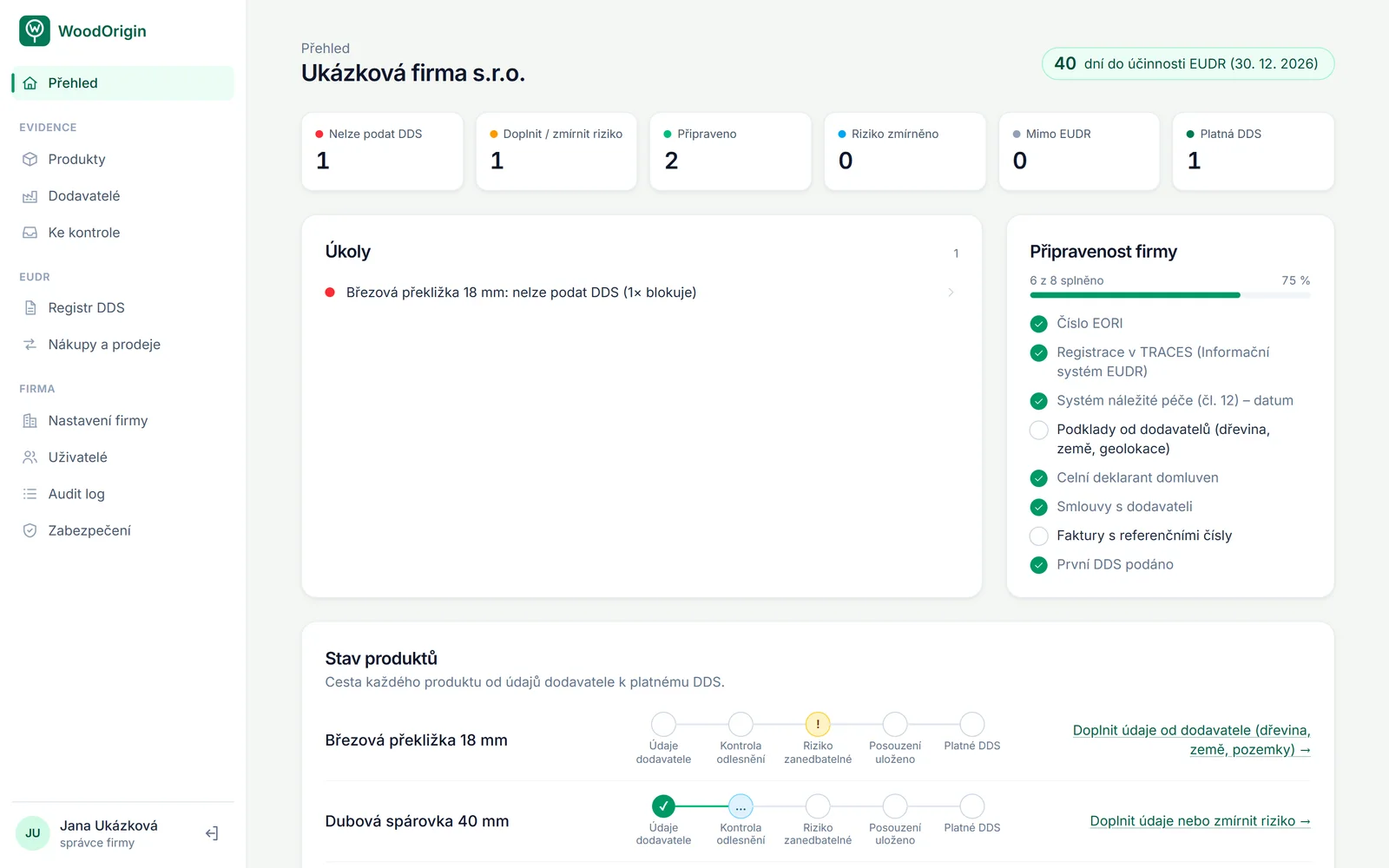
Screenshot: company overview with products by status, tasks and readiness
  • Supplier portal in English, Chinese and Czech
  • Deforestation check from satellite data
  • Data on servers in the EU
  • Five-year document archive

What the EUDR requires

Before you place wood or wood products on the EU market, you have to show exactly where it was harvested, that the harvest was legal and that no forest on that land was turned into fields or plantations after 2020 – for every component of the product.

Plot geolocation

Coordinates of every forest plot the wood comes from – even when your manufacturer imports the raw wood from somewhere else.

Risk assessment

High-risk countries, sanctions, transit through third countries, legality documents – all documented.

Statement and records

The due diligence statement (DDS) in the EU Information System and five years of records for inspections by the competent authority.

How it works

Three steps instead of e-mails, spreadsheets and chasing suppliers.

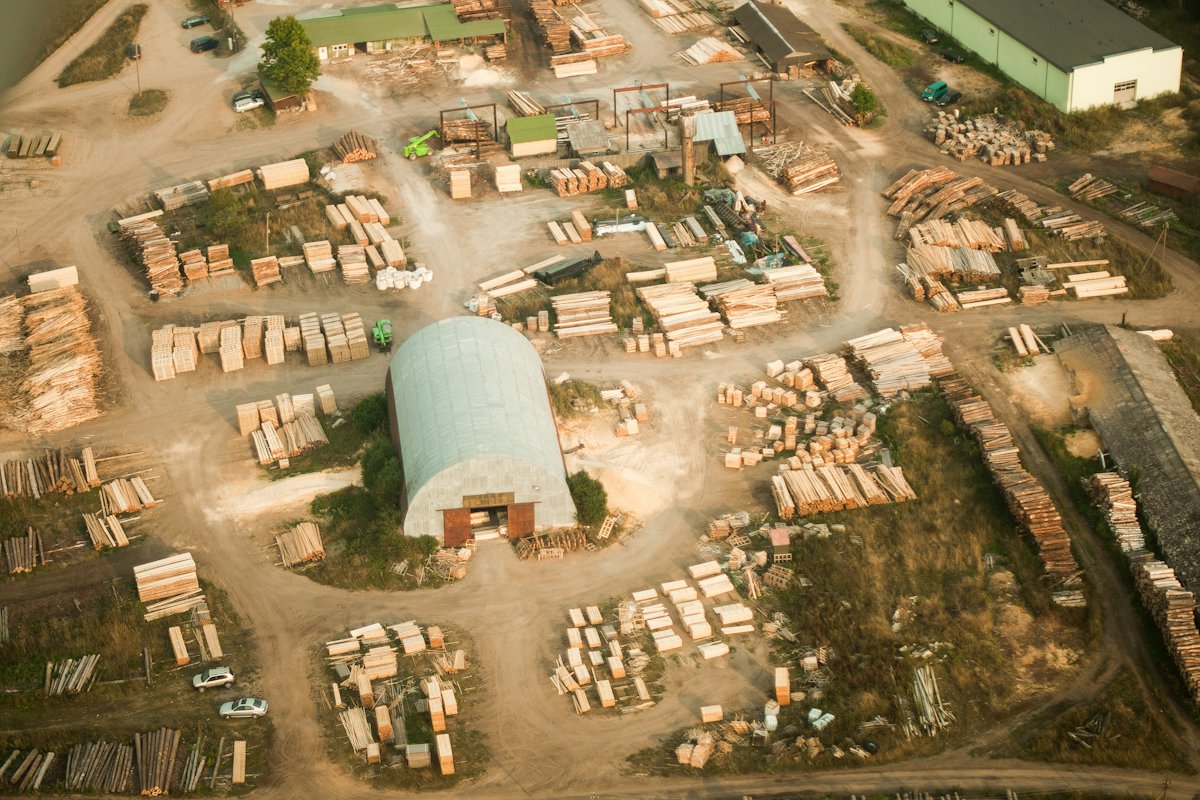
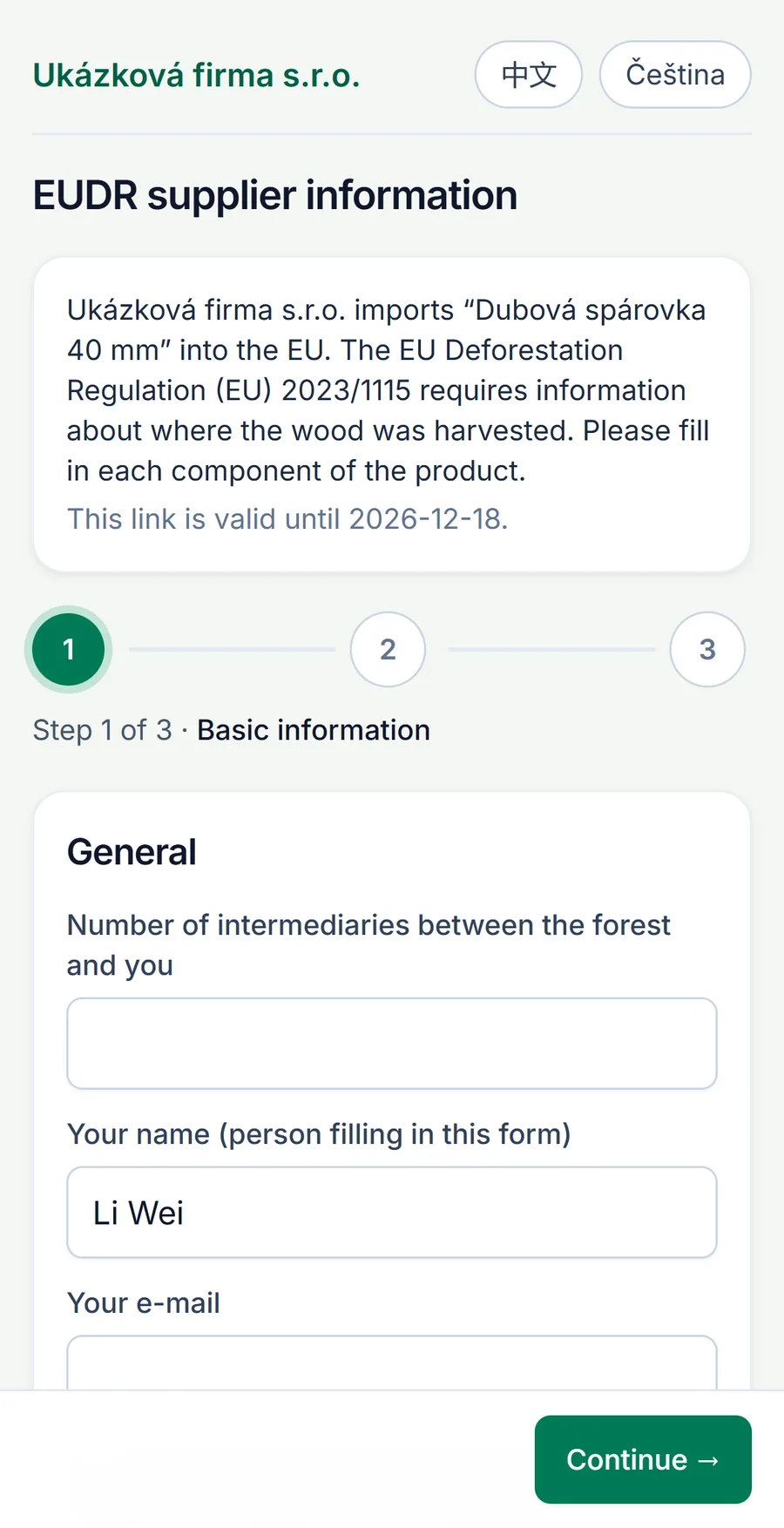
Sawmill and timber yard from above Form: English · 中文 · Česky Screenshot: the supplier form on a phone
1

Your supplier fills in the data

Send them a link. No registration – in English, Chinese or Czech they enter species and country of harvest, draw the forests on a satellite map, upload documents and a signed, stamped declaration.

Forest from above Example: forest 2020 100 % · loss 0 ha
2

WoodOrigin checks it

It validates the coordinates, compares the plots with the EU forest map for 2020 and with tree cover loss by year, assesses the risk under the EUDR and shows what is missing.

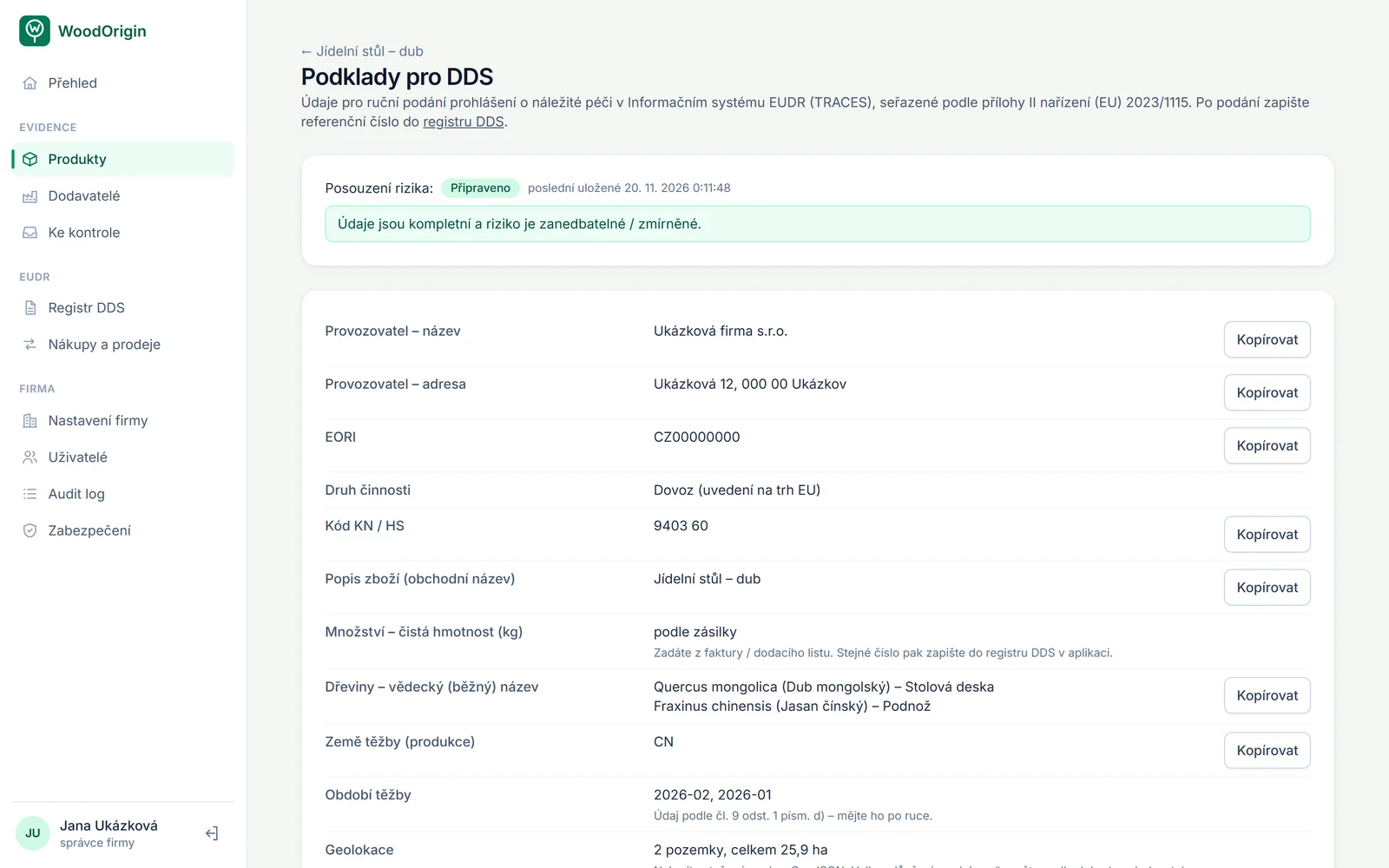
Screenshot: data prepared for the DDS with copy buttons
3

You decide and submit

Accept the answer component by component, save the risk assessment as PDF and submit the DDS with the prepared data and geolocation file. Nothing is submitted without you.

What you get

Once you approve the answer, everything is ready

You submit the statement in the EU Information System yourself. WoodOrigin prepares the exact data and documents for it, so nothing is retyped from e-mails and spreadsheets.

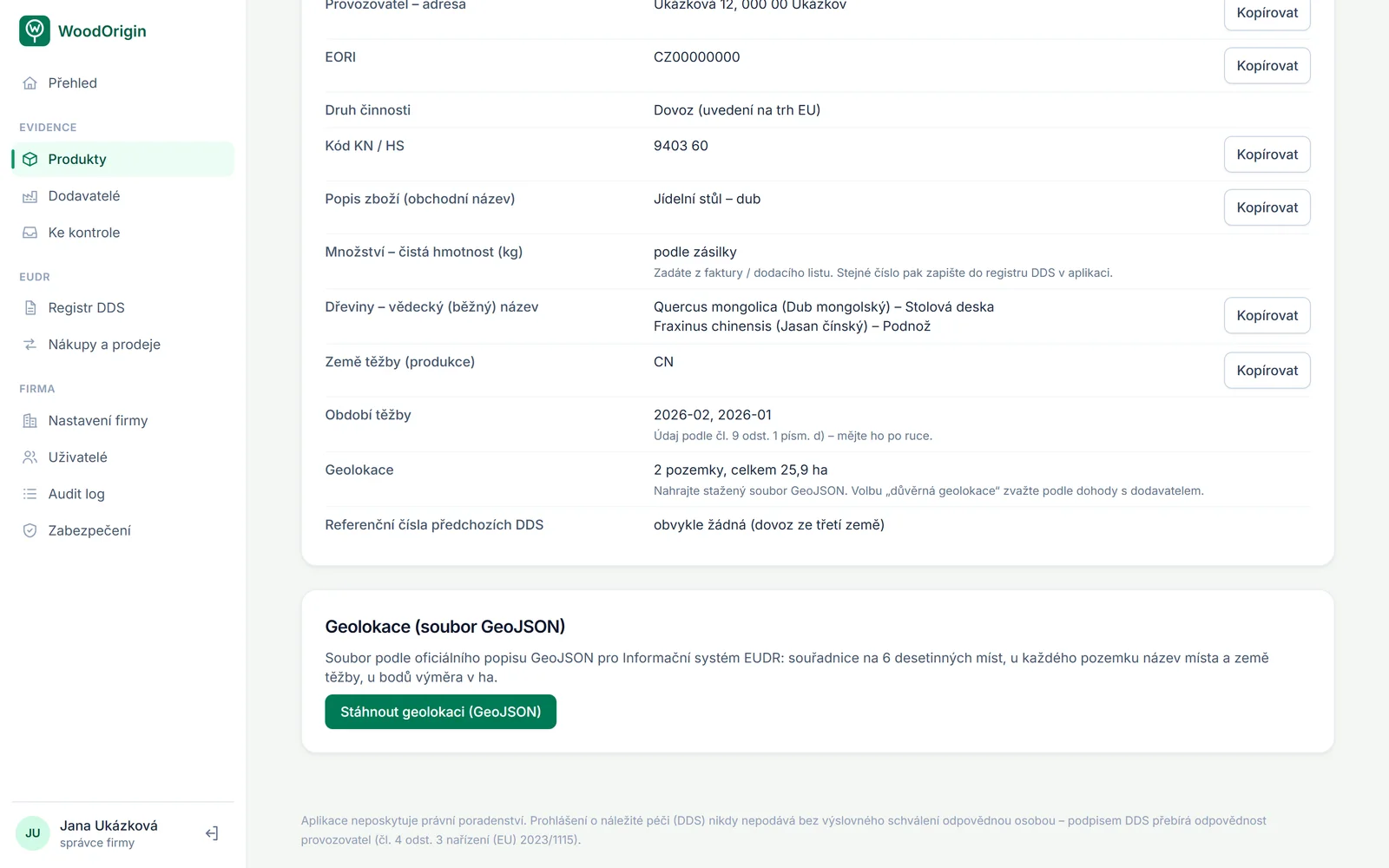
Screenshot: rows of DDS data with copy buttons and the geolocation file download

For the submission

  • Rows to copy in the order of the regulation: company, EORI, customs code, species, country and period of harvest
  • Geolocation file in the format the EU system accepts – you just upload it
  • A list of what is still missing before you can submit
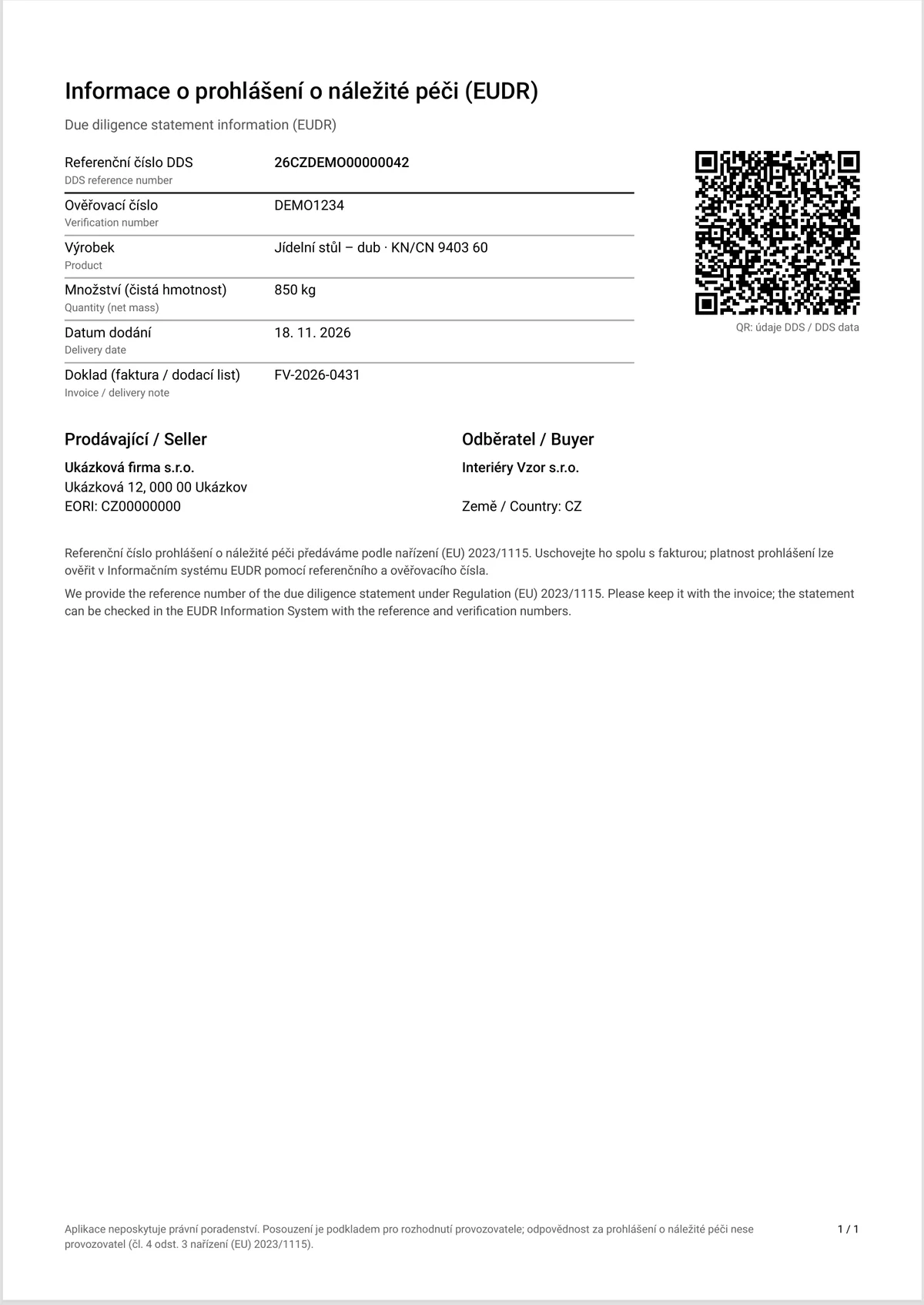
Sample customer sheet: DDS reference and verification number, product, quantity and a QR code

After the submission

  • Enter the reference and verification numbers in the DDS register
  • Text for the customs agent and a line for the invoice, ready to copy
  • Customer sheet with a QR code – attach it to the invoice
Sample customer sheet (PDF)
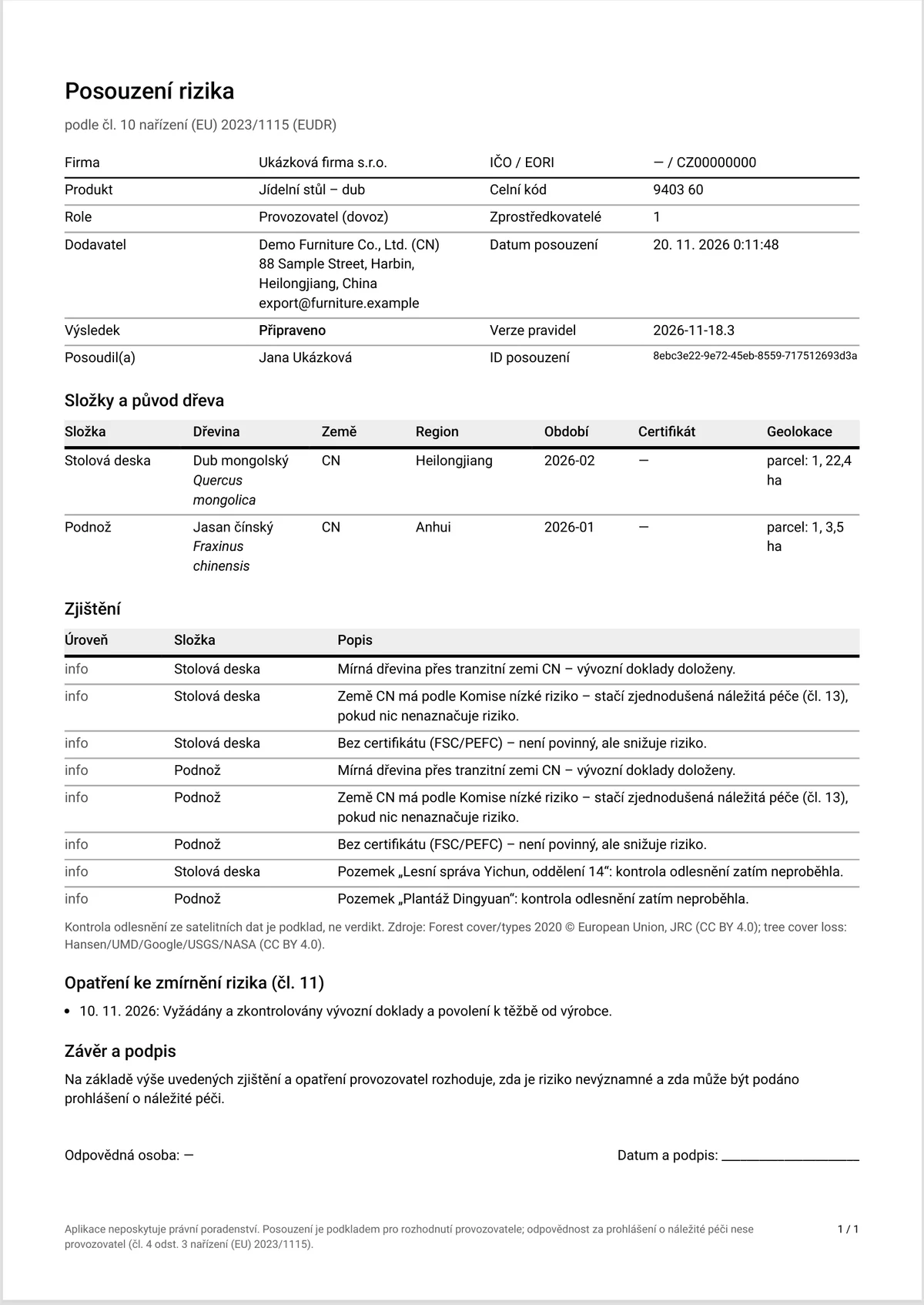
Sample risk assessment: company, product, components and origin of the wood, findings and measures

For an inspection

  • Risk assessment as a PDF – stored and unchangeable, with the responsible person's signature line
  • The supplier's signed declaration and documents kept with the product
  • Monthly archive to download, records kept for five years
Sample risk assessment (PDF)

The samples contain made-up data and are in Czech, like the application. Direct submission from the application is in preparation.

Inside the application

Take a look inside

Real screenshots of the application with made-up sample data. The application for importers is in Czech; the supplier portal is in English, Chinese and Czech.

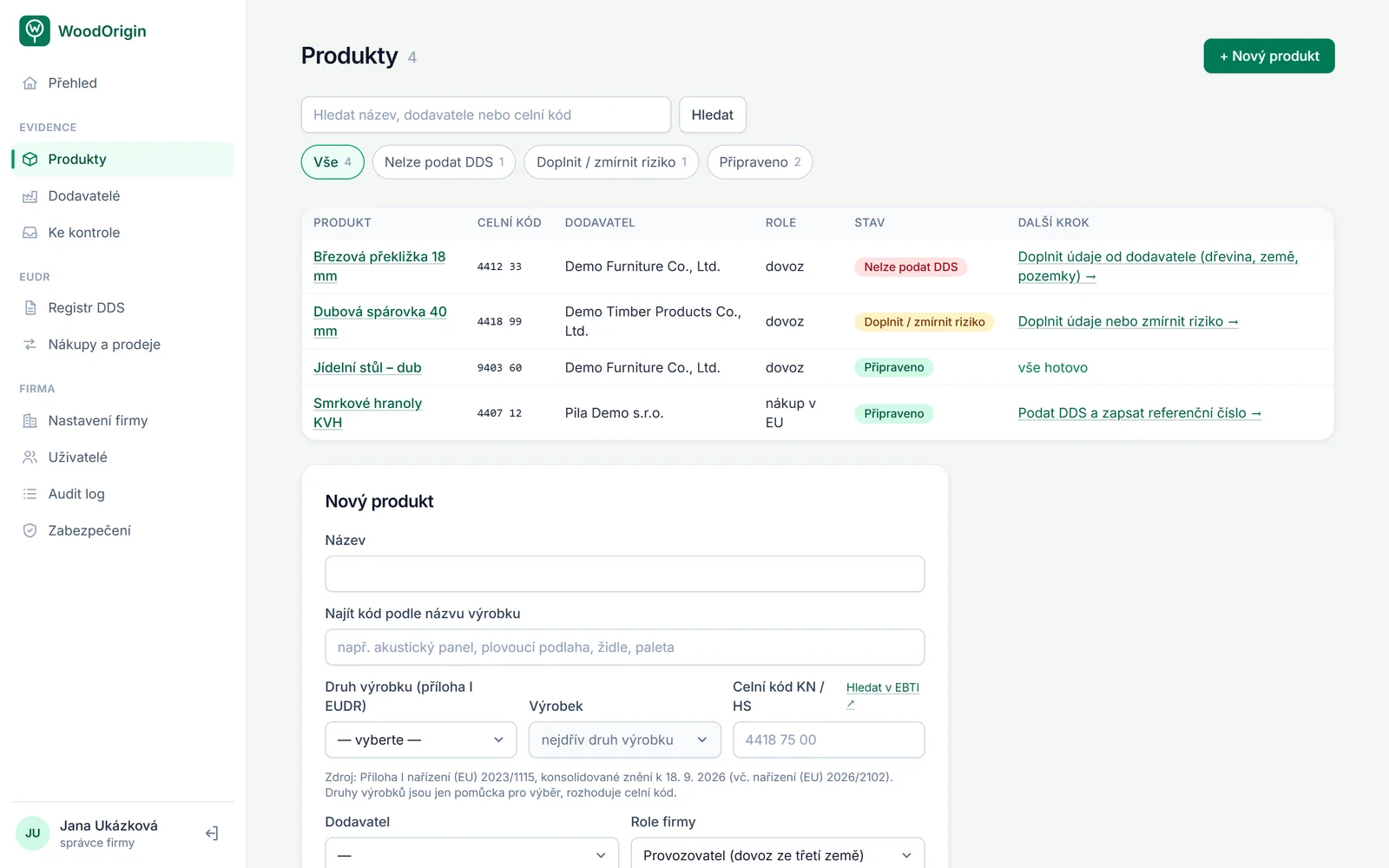
Screenshot: product list with a status filter
Products with their status and next step
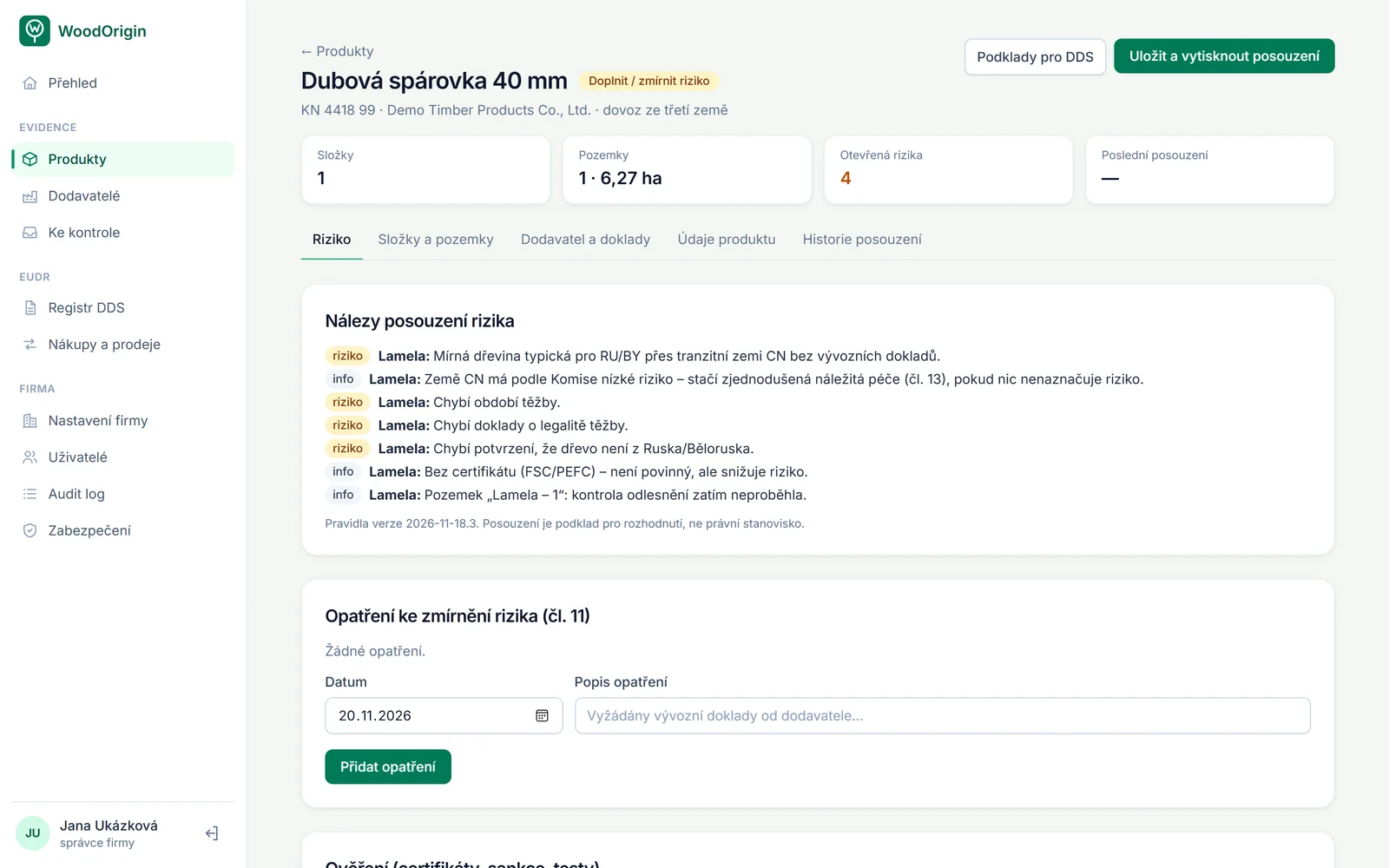
Screenshot: risk assessment findings of a product
Risk assessment per product component
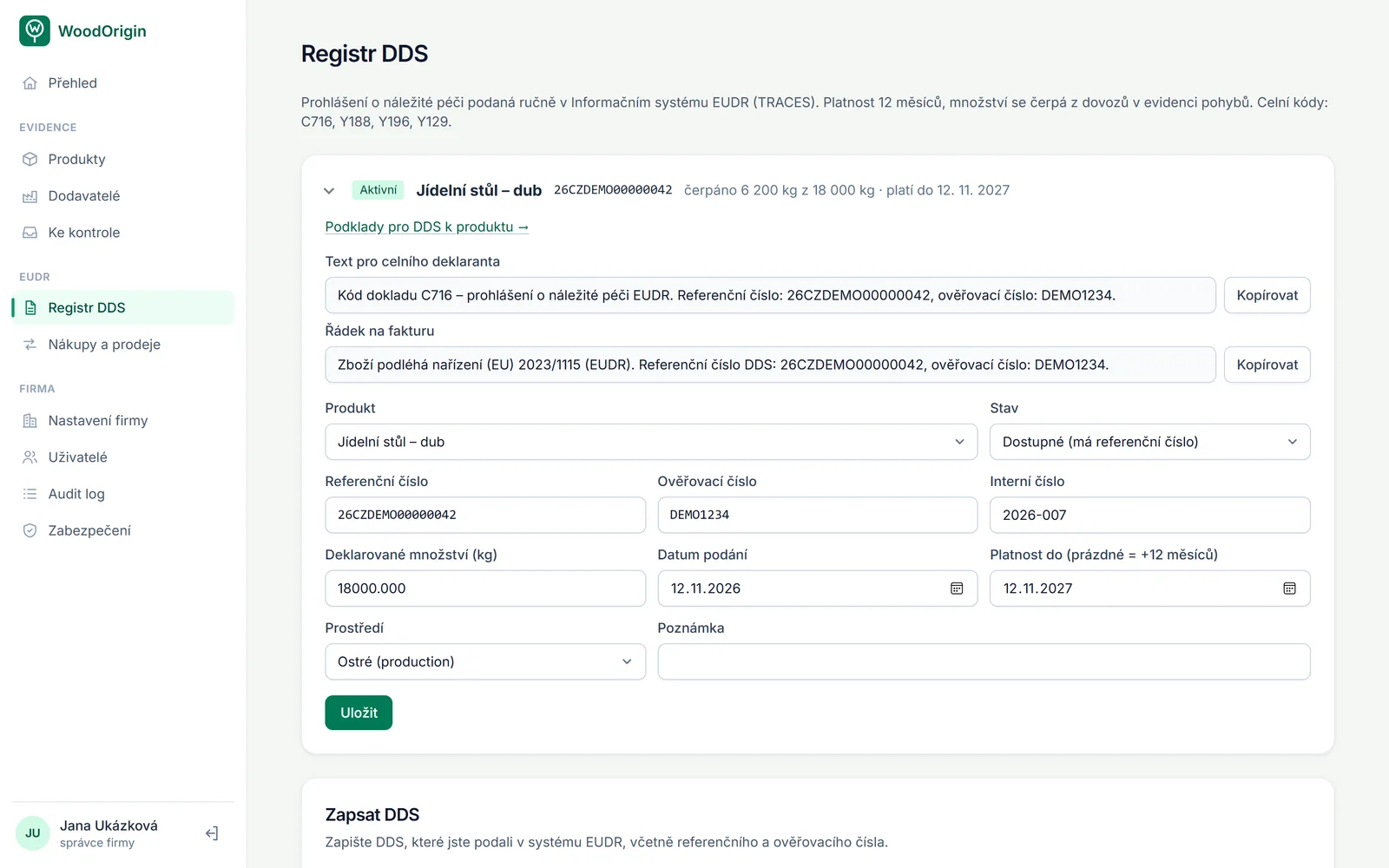
Screenshot: DDS register with a reference number
DDS register with texts for the customs agent and the invoice
Supplier declaration

A declaration ready to sign and stamp

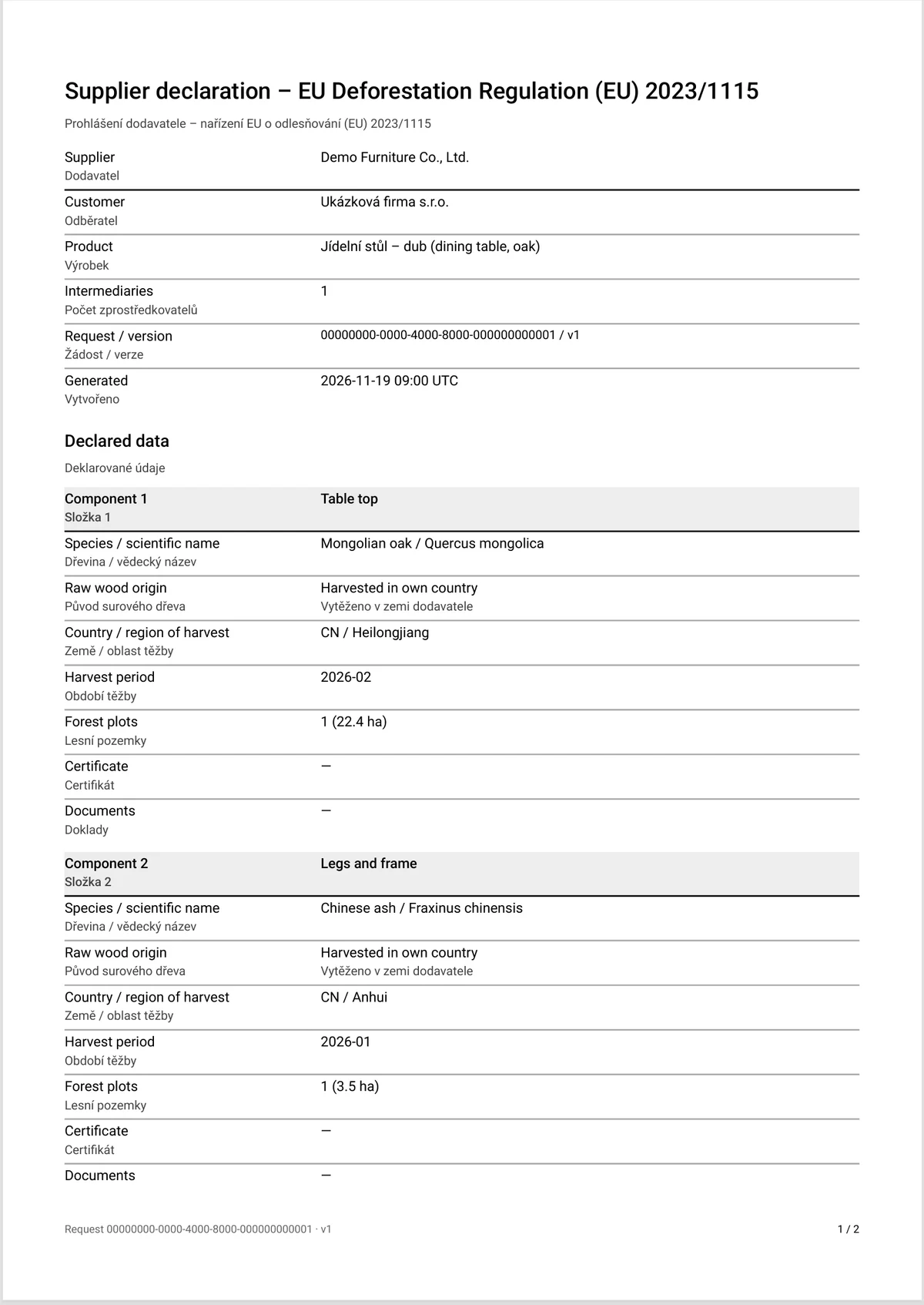
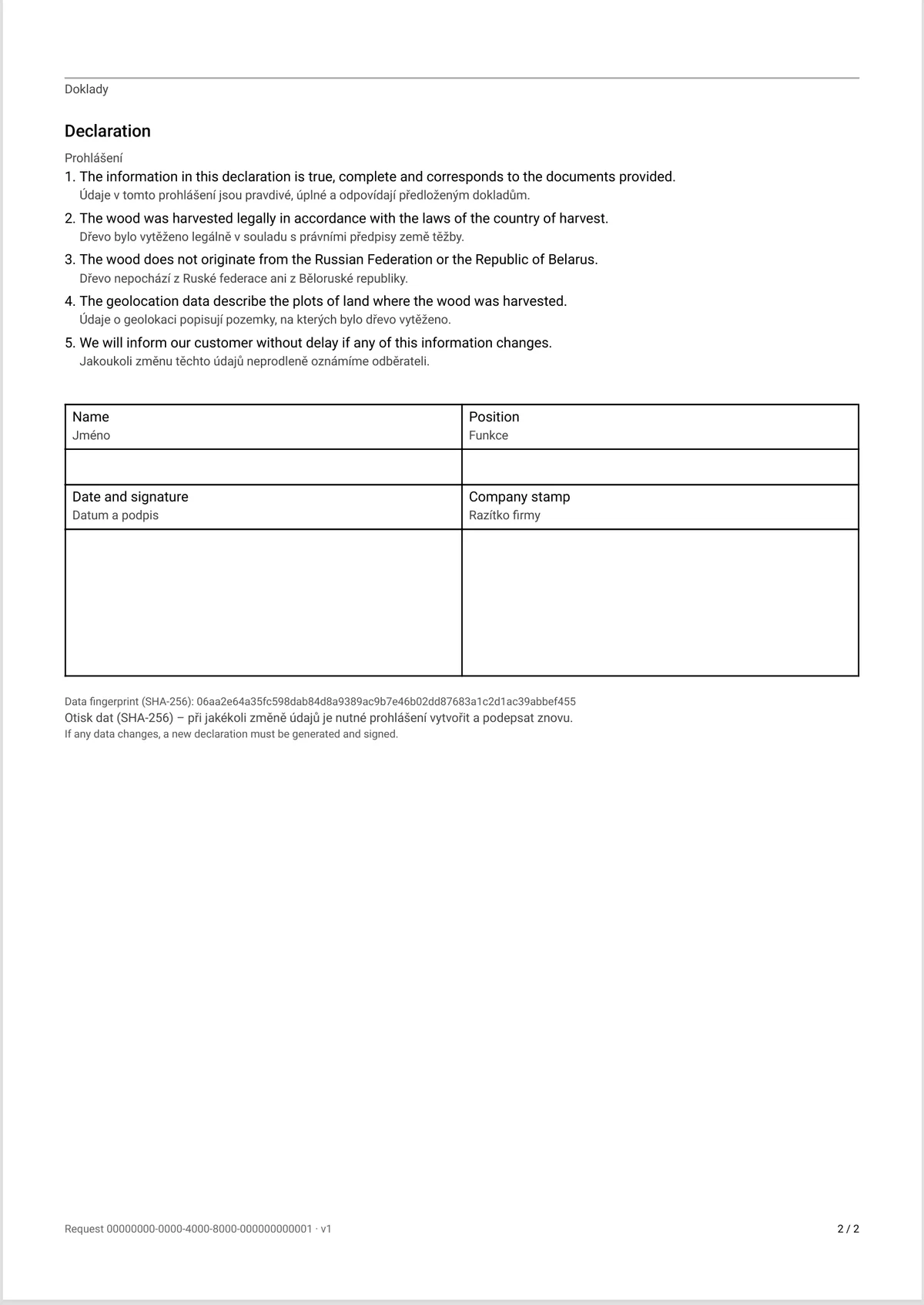
From the supplier's answers the application creates a declaration as a PDF. The supplier prints it, signs it, stamps it and uploads it back as a scan or photo.

  • In English, with Chinese or Czech under every line
  • All declared data per product component and five statements on legality and origin
  • Data fingerprint (SHA-256): if the data changes, a new declaration must be generated and signed
  • During review the application checks that the signed declaration matches the submitted data
Download a sample declaration (PDF)

Sample with made-up data.

First page of the supplier declaration: supplier, customer, product and declared data per component Second page of the supplier declaration: five statements, space for name, position, signature and company stamp, data fingerprint

Features

  • Supplier portal in English, Chinese and Czech, works on mobile
  • Draw plots on a satellite map, import GeoJSON, KML, CSV and Excel
  • Deforestation check from satellite data (EU JRC, Global Forest Change)
  • Risk assessment per product component, including MDF, veneers and multi-layer products
  • Supplier declaration for signature and stamp, review before acceptance
  • DDS preparation and geolocation file in the EU format
  • DDS register, purchase and sales records, five-year document archive
  • Data stored in the EU, two-factor login, audit trail of all changes
Stacked logs Less paperwork

EUDR administration in one place

Instead of e-mails, spreadsheets and folders of documents you have everything together: supplier data, forest plots, risk assessments and statement numbers. The application shows what is still missing and prepares the data so that you only review and submit it. When the authority asks, everything is a few clicks away.

Direct DDS submission through the EU interface is coming soon – until then you submit manually with everything prepared.

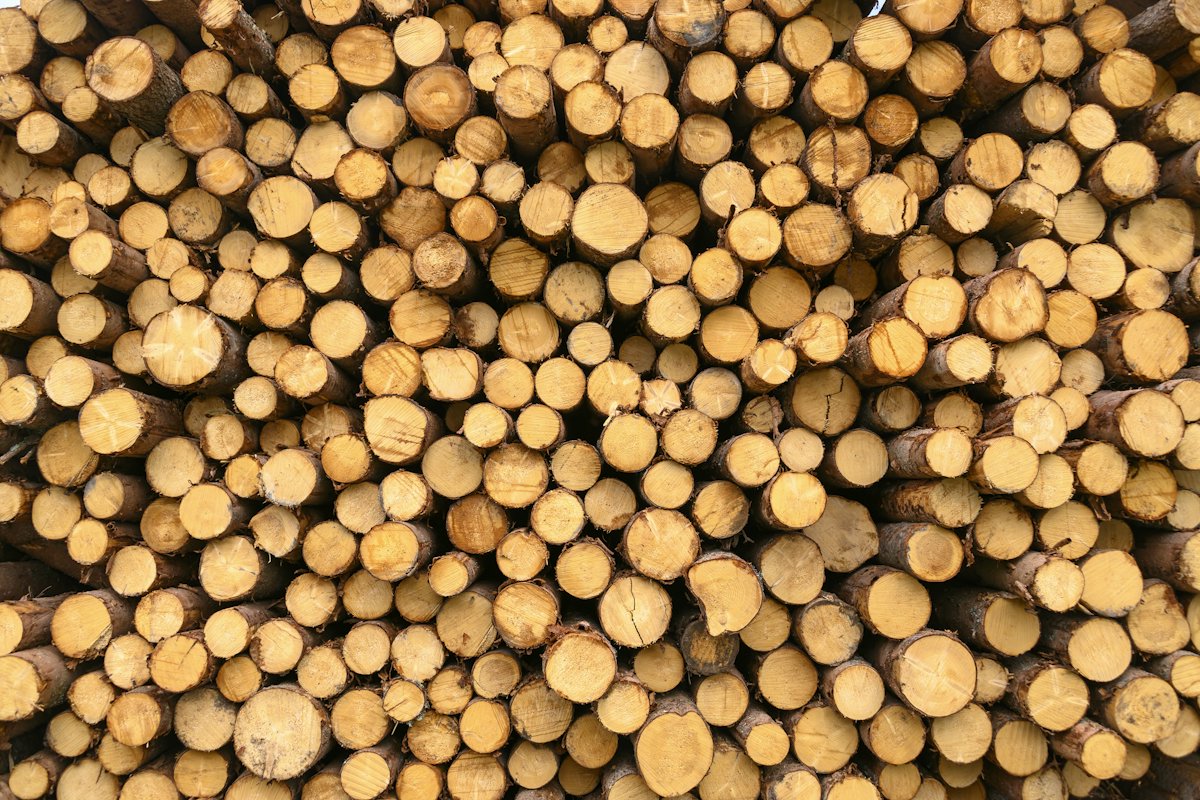
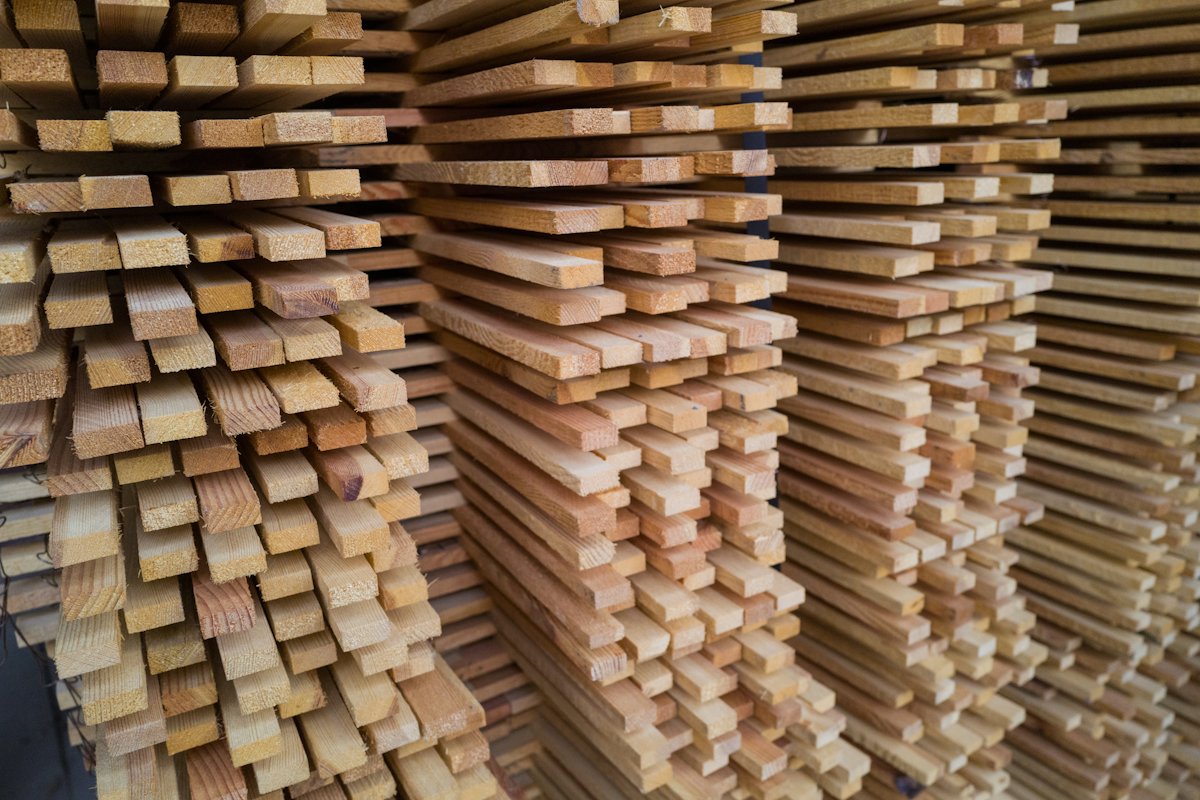
Stacked sawn timber in a yard
Which products

From sawn timber to finished furniture

The EUDR covers wood and wood products listed in Annex I of the regulation. From the customs code the application suggests whether a product is in scope, and it tracks the origin separately for every wooden component.

  • Sawn timber and veneers
  • Plywood, MDF and OSB
  • Flooring and joinery
  • Furniture and seats
  • Pallets and packaging
  • Pulp and paper
Where we are heading

What works today and what is coming

We build WoodOrigin step by step. We list only what really works – and say openly what is still to come.

  1. Available

    The whole process with manual submission

    • Supplier portal and review of answers
    • Deforestation check from satellite data
    • Risk assessment and DDS preparation
    • DDS register, records and archive
  2. In preparation

    Connection to the EU system via API

    • Submit the DDS directly from the application
    • Reference and verification numbers return to the register automatically
    • Tracking the status of a submission
    • Manual submission stays as a fallback
  3. Later

    Connection to your systems

    • Import from accounting and warehouse systems (ERP)
    • Import of reference numbers from suppliers in the EU
    • More plausibility checks of supplier data

The order and scope may change depending on what you need most. Even with the API connection, a person always decides about the submission.

Pricing

Three plans, depending on what you need

Runs in your browser – nothing to install. Prices are per month, excluding VAT.

Trader

For companies and sawmills that buy wood and wood products in the EU.

690 CZK per month

  • Purchase and sales records with DDS reference numbers
  • Customer sheet with a QR code for the invoice
  • Monthly archive and five years of records
Try it free for a month

Start

For importers with a small range – up to 3 products.

990 CZK per month

  • Supplier portal in English, Chinese and Czech
  • Deforestation check and risk assessment
  • DDS preparation and geolocation file
  • Everything in Trader
Try it free for a month

Introductory prices. The first month is free on every plan. Data is stored in the EU and backed up.

Frequently asked questions

Does the EUDR apply to me?

If you place on the EU market or export wood or wood products listed in Annex I of Regulation (EU) 2023/1115 – such as furniture, flooring, plywood or sawn timber –, most likely yes. The obligations apply from 30 December 2026. WoodOrigin does not provide legal advice; please assess your situation yourself or with your adviser.

Do suppliers have to register?

No. They receive a personal link, fill in the form without an account and can finish a draft at any time. Only your company sees their data.

Does the application submit the DDS for me?

Not without you. It prepares the data and the geolocation file; you review and submit the statement. The operator is responsible for the DDS, so a person always decides.

Where is my data?

On a server in Germany (EU), with encrypted backups stored off the server. Every company sees only its own data and all changes are logged.

What if a supplier has no coordinates?

They can draw the plot directly on the satellite map, upload a GPS file or a spreadsheet. Errors such as swapped latitude and longitude are flagged immediately.

Try WoodOrigin free for a month

Write to us – we will show you the application on your own product.

info@woodorigin.cz